How to start

Welcome go Wild Fractal Toolbox.

Few minutes na all wetin you need to build your first fractal. Watch di videos or follow di step-by-step guide wey dey below.

Download am

Comot Windows or Linux version from di link wey dey di email wey you receive after you buy am, then install am.

Activate am

For di first time you open am, paste di license key from your email and click Turn on. You fit find am again anytime for Help › Licence…

Check am out

Open one example, tweak am small, then make your own fractal. Your key go work for 3 computers, forever.

How to Install

Install for one minute.

You no need administrator rights.

Linux

  1. Download WildFractalToolbox-linux-install.sh from di link wey dey your email.
  2. Open terminal (Ctrl+Alt+T for Ubuntu and Linux Mint) and come type: sh ~/Downloads/WildFractalToolbox-linux-install.sh
  3. Start Wild Fractal Toolbox from your applications menu.

E dey work for Ubuntu 20.04+, Linux Mint 20+, Debian 11+, Fedora, Arch, Manjaro… To update, just run di new installer: your license go still dey. To uninstall: wildfractaltoolbox-uninstall.

Windows

  1. Download WildFractalToolbox-windows-setup.exe from di link wey dey your email.
  2. Double-click am and follow di wizard. If Windows show “Windows protected your PC”, click More info, then Run anyway.
  3. Start Wild Fractal Toolbox from di Start menu or di desktop.

Windows 10 or 11, 64-bit. You no need administrator rights. To update, just run di new installer: your license go still dey. To uninstall: Settings › Apps.

First launch

  1. Choose your language.
  2. Paste di license key wey dey your email and click Turn on (you go need Internet connection).
  3. You don finish: di next times wey you open am, di software go open straight.

Check say di download correct (optional) — SHA-256 checksum for di installer wey dey now:
Windows WildFractalToolbox-windows-setup.exe (1.01.148): f145cc1fef589db9570d36678d45811349e7f7ce30ff22ec26d403bf13ab19a7
Linux WildFractalToolbox-linux-install.sh (1.01.149): 24382a89e7684e70e0b8213111f4172d33da9ac816da595b1ff4489155f369c3
For Windows: certutil -hashfile WildFractalToolbox-windows-setup.exe SHA256; for Linux: sha256sum WildFractalToolbox-linux-install.sh.

Videos

Watch am, then try am yourself.

Short tutorial dem, each one dey focus on one construction or one feature.

How to build tree with WFT

From empty fractal go complete tree: how to place transformations with mouse, fine-tune am and draw am.

Dey come soon

Rendering and color palette dem

Density, colorful transformations, radial, concentric: how to pick style and fine-tune am.

Dey come soon

Morphing and video export

Morph one fractal enter another one and generate MP4 video.

Watch am for YouTube

Step-by-step guide

Di main things, for six steps.

Di settings panel dem dey inside di vertical tabs wey dey for di right side of di drawing area.

Start from one example

The Examples tab get 180 ready-made fractals: ferns, trees, snowflakes, dragons, spirals…

Pick one for di list and click Open example. Na di fastest way to understand how shape dey built.
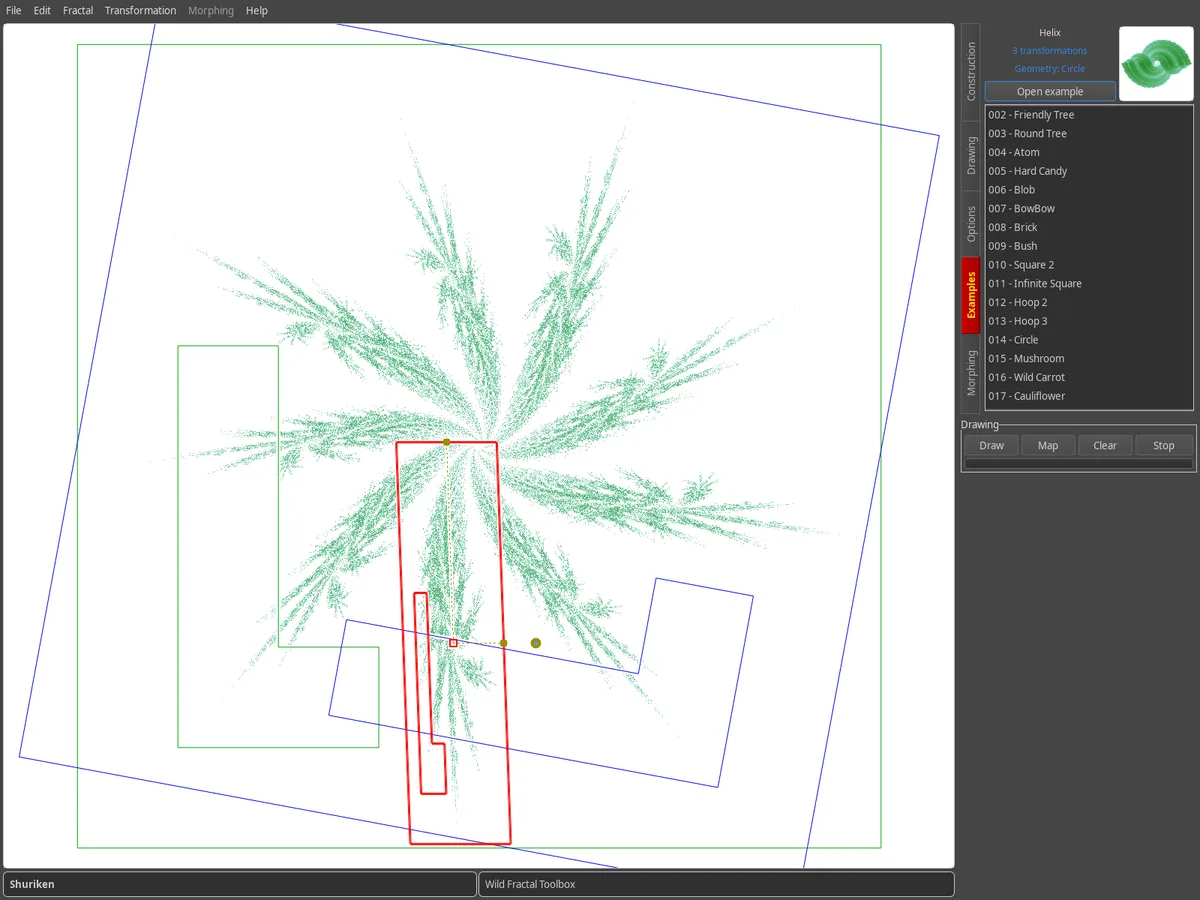
Examples tab: list of di example fractals wey get preview, di Shuriken fractal dey show for di drawing area.

Build for di map

IFS fractal na set of transformations. Each one dey show as scaled and moved copy of di map; di transformation wey you choose go draw for red.

  • Fractal › New fractal dey start from zero.
  • New dey add one transformation.
  • Drag am with mouse, or adjust Shearing, Rotation, Scaling and Translation with di sliders.

Di attractor dey redraw for real time after every change.
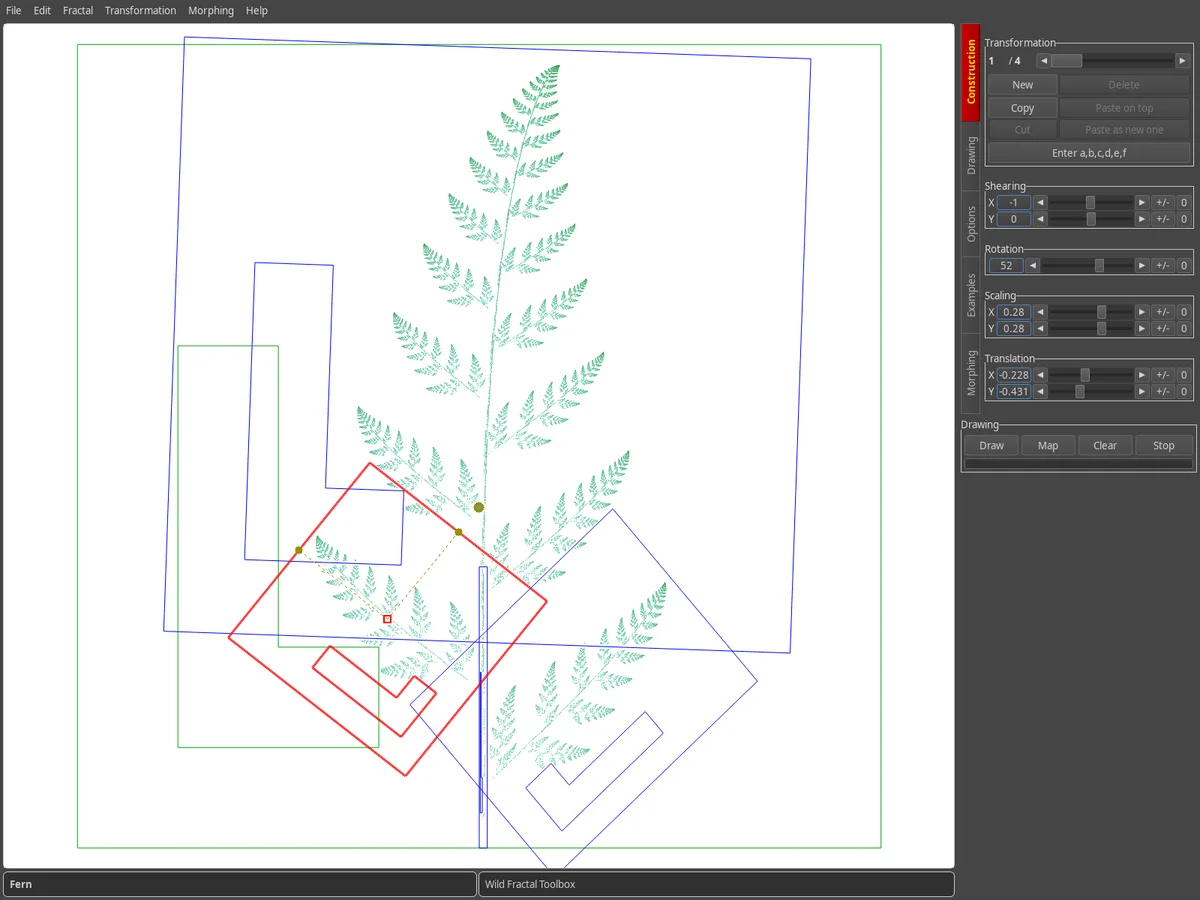
Construction tab: di transformation map of di fern, di one wey you select go dey red, di adjustment sliders dey for di right side.

Put di coefficients

You like precision of numbers? Di Enter a,b,c,d,e,f button go open di affine matrix of di transformation wey you choose.

If you wan import whole fractal wey dem describe as text, use Fractal › Load Fractal as Matrix Text…
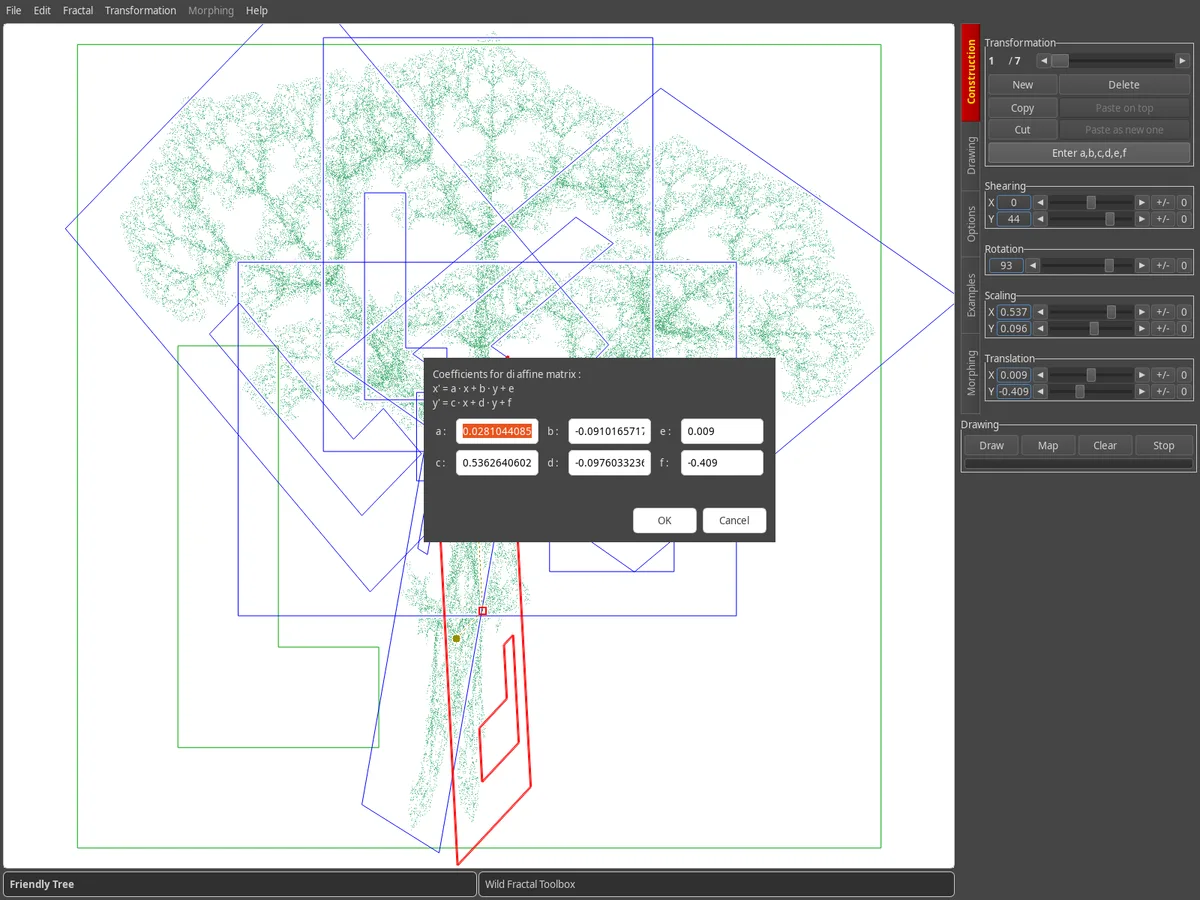
Box for put di a, b, c, d, e, f coefficients wey dey above di map of tree.

Choose di map shape

For di Options tab, Map geometry dey change di base shape: square, triangle, hexagons, circle, pentagon, octagon, diamond.

Map drawing dey show or hide di attractor behind di transformations while you dey build.
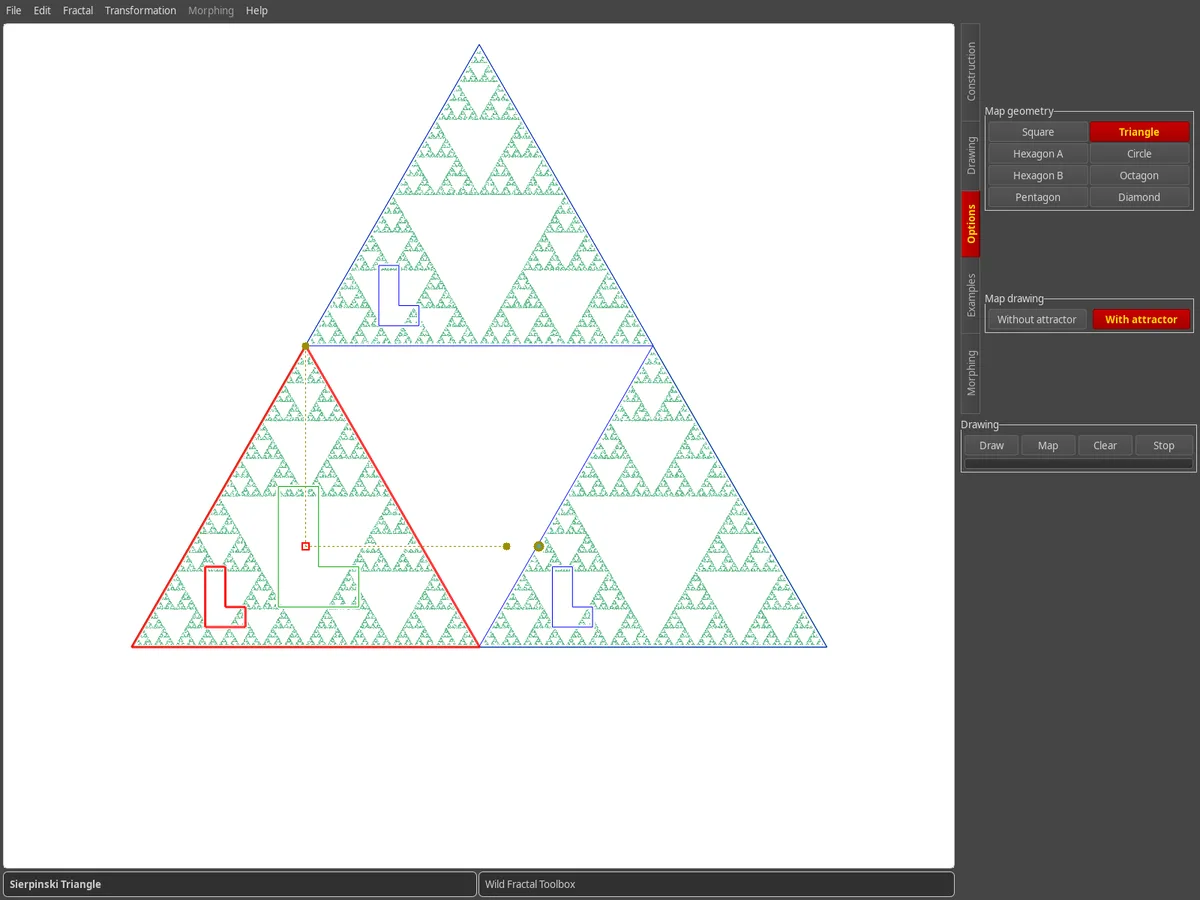
Options tab: Triangle geometry don select, na map of di Sierpinski triangle.

Add sama style

Di Drawing tab get di drawing methods dem: random, density, palette density, colorful transformations, zebra, radial, concentric.

Pick one color palette and how many points you want, then click Draw. Save di result with File › Save image…
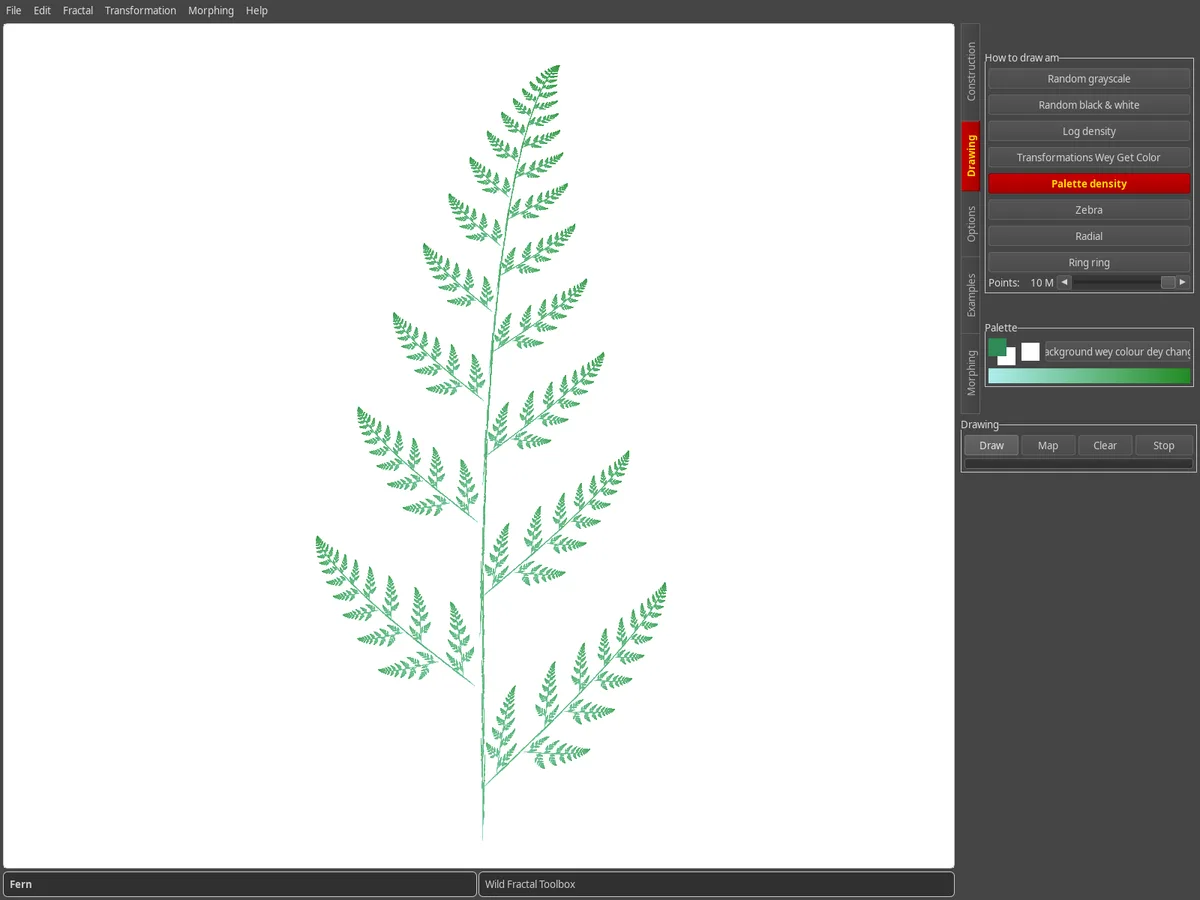
Drawing tab: di fern wey dem render wit green palette density, for white background.

Make am move with morphing

Di Morphing tab dey change one fractal go to di oda one. Load di Source and di Destination, set di Number of steps and look di steps wey dey for middle.

Export di animation with Morphing › Make video…
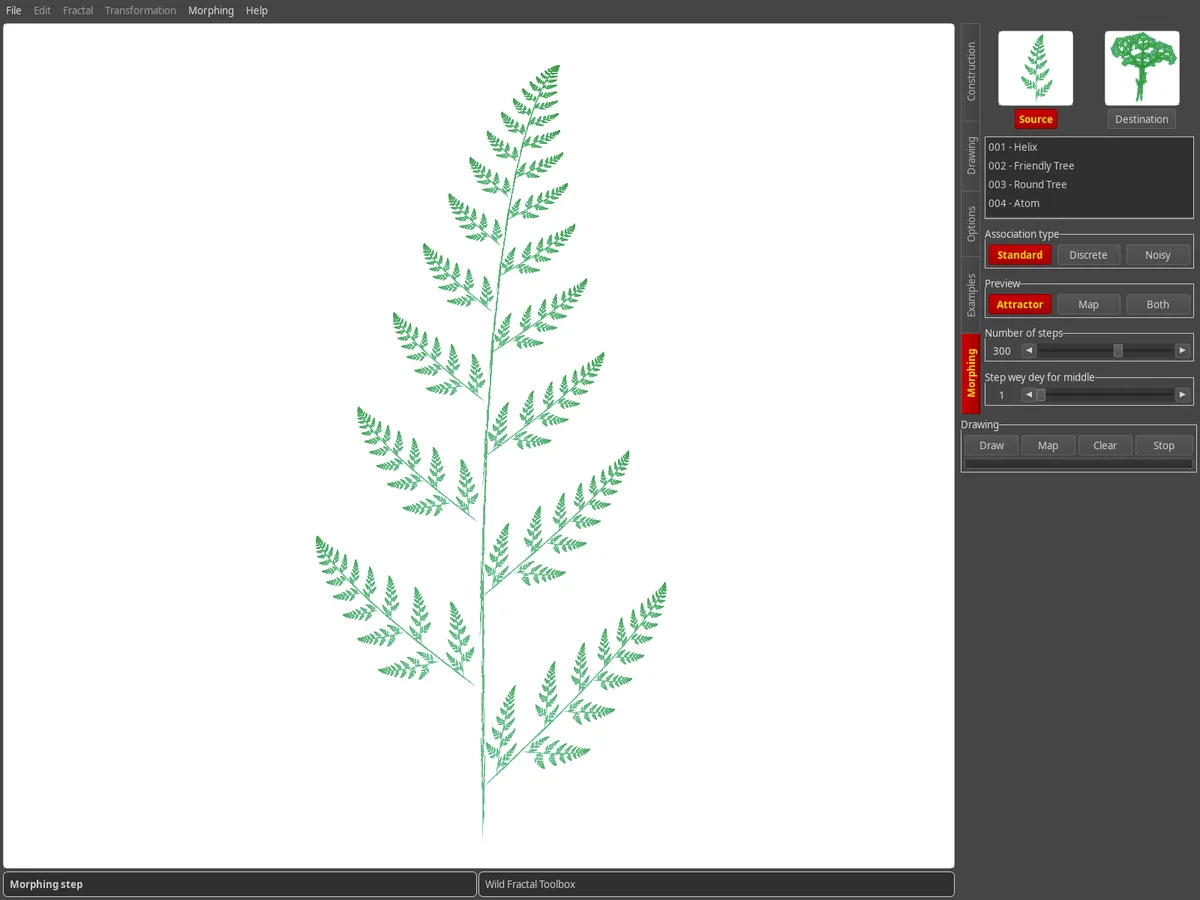
Morphing tab: small picture of di source an di destination fractal, one morphing step dey display.
Tips

Wetin you need sabi.

How I go take save my fractal?

File › Save… (Ctrl+S) dey save di fractal; File › Open… (Ctrl+O) dey bring am back. For di next time you open am, di software go pick di last fractal wey you dey work on.

Fit I change di language of di interface?

Yes: Help › Langue / Language get more pass 100 languages.

How I fit measure di fractal dimension?

Fractal › Calculate fractal dimension (box-counting)… go estimate di dimension, and also go give di correct mathematical value if di fractal be self-similar.

I dey change computer, wetin about my license?

Your key go work for 3 computers. Just put am for di new machine through Help › Licence…

You see bug, you get idea?

Write us from Help › Report bug / feedback / ask for feature, or through di contact page.